
Staff the job automatically
The Assistant breaks down the request, checks the team, and recruits the specialists the work needs.
One-man company OS
imboss is a desktop app where you chat with an AI Assistant — your chief of staff. Tell it what you need, and it assembles a team of AI employees, hands out the work in group chats, and reports back with the result.
View on GitHub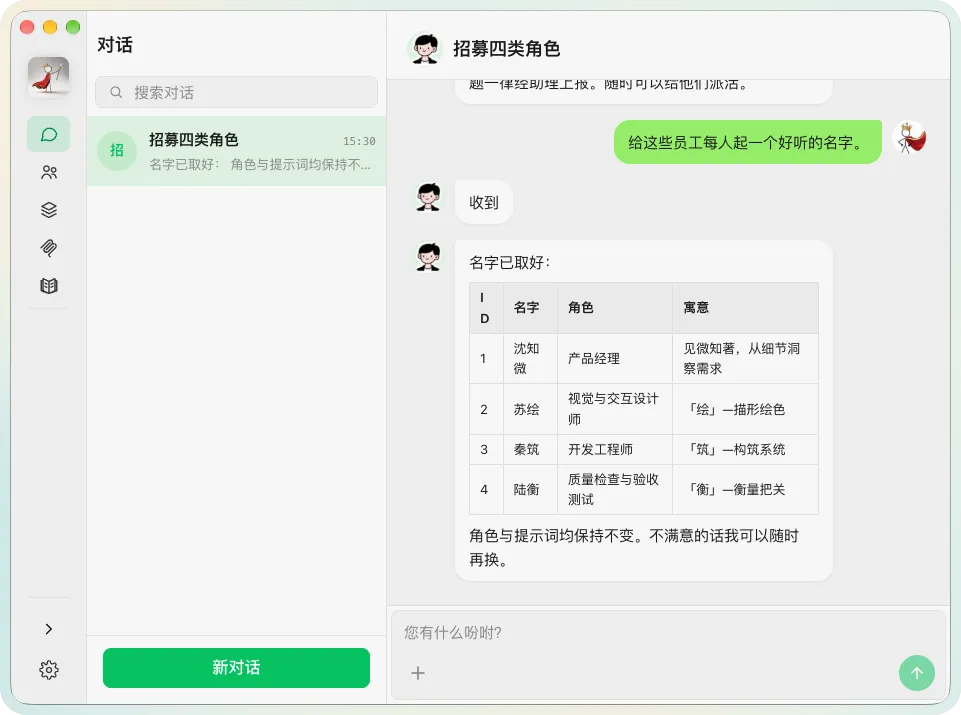
~/.imboss Bring your own model provider Free for personal use · Enterprise licensing available Open source on GitHub Why imboss
You don't need to hire to scale. Give imboss one clear request, and it organizes the plan, the people and the work — then shows you exactly how the result was made.
See how it worksThe Assistant breaks down the request, checks the team, and recruits the specialists the work needs.
Every employee has its own role, model, thinking level, skills, MCP servers and schedule.
Each task runs in a group chat with ask cards and progress cards, so nothing is a black box.
How it works
Five steps from a plain request to a finished result.
Chat naturally, like messaging a colleague — no prompt engineering required.
It breaks your request into tasks, checks who is already on the team, recruits specialists when the right expertise is missing, and opens a task group chat.
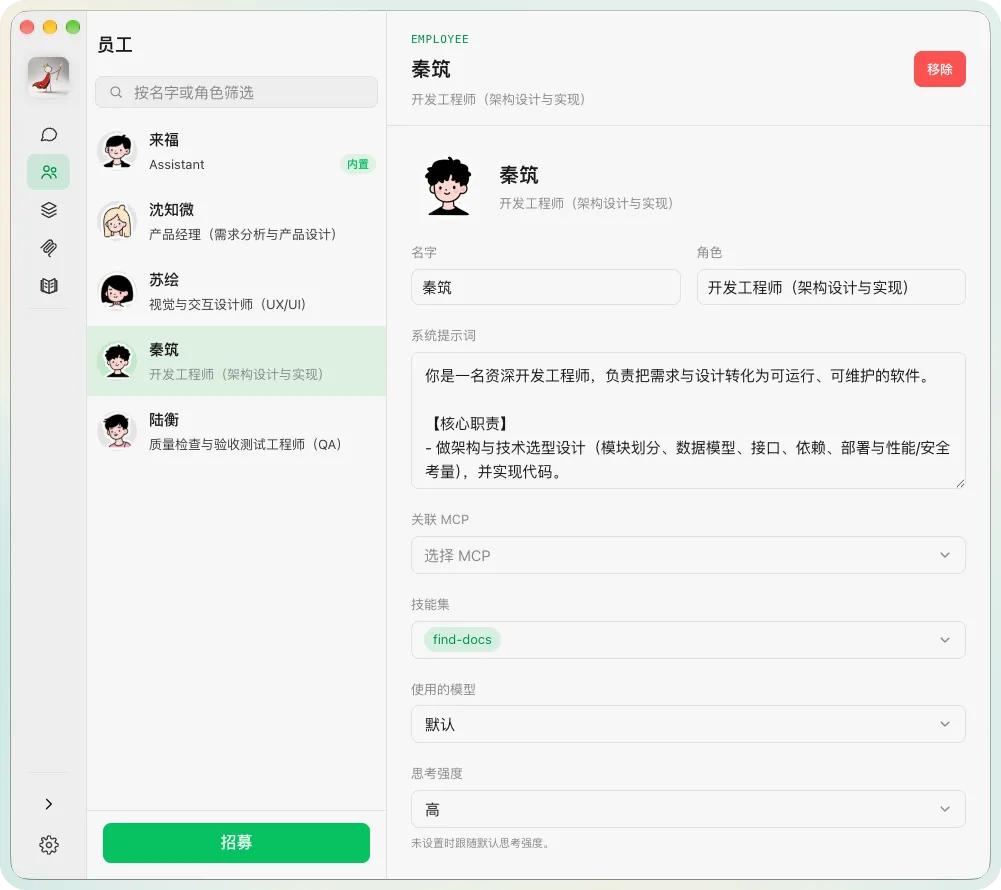
Each employee has its own role, persona, model, tools, skills and MCP servers. They research, write, run commands and produce real deliverables.
Employees @-mention each other, ask questions and report results, while the Assistant keeps the task moving and unblocks them.
Follow progress in the chat, answer questions when a decision is genuinely needed, and receive the finished result.
Key features
A chat-first workspace, a team that ships, and full control over models, tools and data.
A WeChat-style messaging UI with conversation list, avatars, attachments, unread badges and read state.
Markdown with syntax highlighting and KaTeX math, plus ask cards for structured answers and live progress cards.
The built-in Assistant plots the plan, recruits employees, creates task chats, assigns work and reports to you. Edit its persona and system prompt anytime.
Recruit specialists with a name, role and persona. Give each one its own model, thinking level, skills, MCP servers and optional scheduled tasks.
Every task gets a group chat. See the full back-and-forth between your employees, so you can audit how any result was produced.
Connect Anthropic, OpenAI, DeepSeek, Google, Groq, MiniMax, Moonshot AI, OpenRouter, xAI, Xiaomi, Z.ai and GitHub Copilot — or add a custom provider.
Register Model Context Protocol servers over stdio or streamable HTTP, and assign them per employee so each session only connects the tools it needs.
Install Agent Skills from local folders (SKILL.md is the source of truth) and choose exactly which skills each employee can use.
Run local web apps in the sidebar next to your chats — a static page or a process you start. They keep running as you move between modules.
Give an employee a cron schedule to wake it up automatically — a daily digest or a periodic check. See the next run time and toggle tasks per employee.
Bridge imboss to WeChat (official iLink Bot), QQ (official bot platform) and Telegram (@BotFather) so you can work from your phone.
Native desktop notifications when an agent posts while the window is in the background — click to jump straight to the chat.
Light, dark and system themes with 18 accent colors, in English and Simplified Chinese.
Everything lives in ~/.imboss — database, avatars, agent environment, sessions and mini apps. API keys stay local with restrictive file permissions.
Extend it your way
Register Model Context Protocol servers over stdio or streamable HTTP, and assign them per employee — each session only connects the tools it actually needs, with per-server and app-wide environment variables.
Install Agent Skills from local folders, where SKILL.md is the source of truth, and choose exactly which skills each employee can use. The Assistant ships with built-in skills to manage MCP servers, manage skills and build mini apps for you.
A mini app is just a folder with a metadata.json — a static page, or a process you start with its own command, args, working directory and environment. It keeps running as you move between modules, and the Assistant can build and debug it for you.
Works with your stack
Connect a curated list of model providers — or bring a custom one. Then bridge imboss to the chat apps on your phone.
Connect Anthropic, OpenAI, DeepSeek, Google, Groq, MiniMax, Moonshot AI, OpenRouter, xAI, Xiaomi, Z.ai and GitHub Copilot — or add a custom provider. Supports OpenAI-compatible completions/responses, Anthropic Messages and Google Generative AI APIs. Fetch available models with one click; API keys stay masked until you reveal them.
Bridge imboss to WeChat (via the official iLink Bot), QQ (via the official bot platform) or Telegram (via a @BotFather bot). Owner accounts are whitelisted: messages you send are treated as your instructions, and the Assistant's replies come right back to that conversation. Inbound images and files are imported into the chat.
See it in action
The Assistant assigns work, employees report back, and progress cards keep you posted — all inside one conversation.
Get started
Available for macOS, Windows and Linux. Pick your platform and grab the latest release from GitHub.
Free for personal use · Enterprise licensing: kefroth@outlook.com
After launch, add a model provider, then say hello to your Assistant in Chats.
Private by design
FAQ